Tips for Creating an Effective Home Office Setup to Boost Productivity and Comfort
Creating a comfortable and productive home office is essential for anyone working from home. Whether you’re a freelancer, remote employee, or running your own business, an effective workspace can help you stay focused, reduce stress, and improve your overall work experience. In this post, we’ll share practical tips to help you design a home office setup that supports both productivity and comfort.
Why a Good Home Office Setup Matters
Working from home offers flexibility but also comes with unique challenges. Without the right environment, distractions increase, and motivation can drop. A well-planned home office setup helps you:
– Maintain focus and efficiency
– Reduce physical discomfort
– Separate work from personal life
– Create a professional environment for meetings
With these benefits in mind, let’s explore the key elements of creating your ideal home office.
1. Choose the Right Location
Selecting the best spot in your home to set up your office is the first step.
Look for natural light
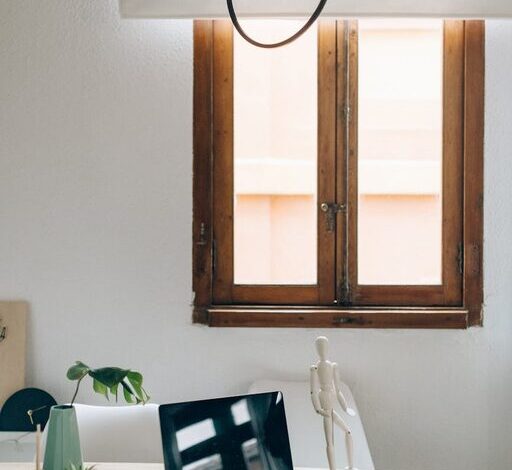
Natural light boosts mood and energy. Try to find a place near a window, but avoid glare on your computer screen. Use curtains or blinds to control the brightness.
Minimise distractions
Pick a quiet area away from heavy foot traffic, TVs, or noisy appliances. If space is tight, noise-cancelling headphones can help.
Space and privacy
Make sure there’s enough room for your desk, chair, and any equipment. Ideally, choose a space where you can close the door for privacy.
2. Invest in Ergonomic Furniture
Comfortable furniture supports long hours of work and prevents strain.
Desk
Select a desk that fits your space and work style. Consider height-adjustable desks if you want flexibility between sitting and standing.
Chair
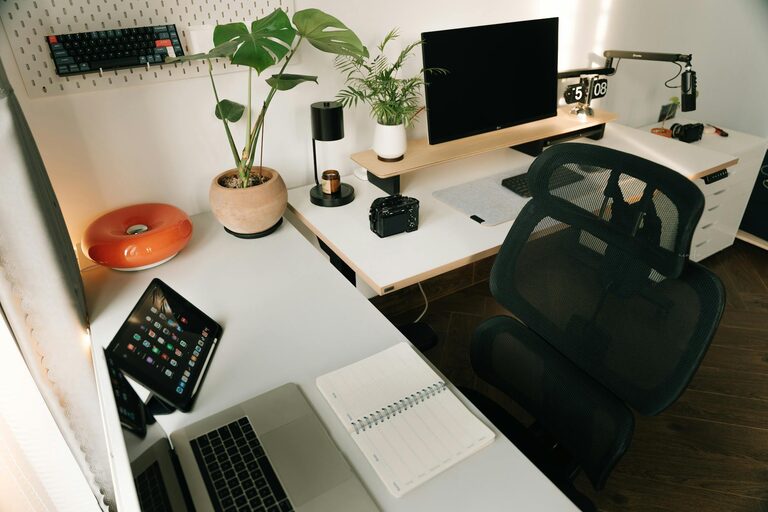
An ergonomic chair with adjustable height, lumbar support, and comfortable padding is crucial. Proper seating posture reduces back and neck pain.
Monitor and keyboard placement
Your monitor should be eye level to avoid neck strain. Use a keyboard tray or desk space that allows your elbows to rest at about a 90-degree angle.
3. Organize Your Workspace
A clean, organised workspace promotes efficiency and reduces stress.
Declutter regularly
Remove unnecessary items daily or weekly. Keep only what you need within reach.
Storage solutions
Use shelves, drawers, and boxes to store supplies neatly. Label containers for easy access.
Cable management
Use clips or cable sleeves to organise cords and avoid tangled messes.
4. Pay Attention to Lighting
Proper lighting prevents eye strain and sets the right mood.
Use layered lighting
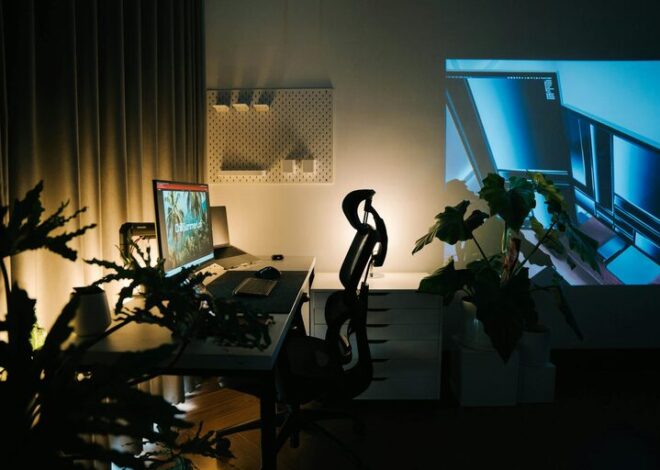
Combine natural light with ambient and task lighting. A good desk lamp with adjustable brightness is ideal for focused tasks.
Avoid glare and shadows
Position lights to reduce reflections on your screen and avoid harsh shadows on your work area.
5. Personalise Your Space
Make your home office inviting with touches that keep you motivated.
Add plants
Indoor plants improve air quality and create a calming atmosphere.
Decorate thoughtfully
Use artwork, colours, or accessories that inspire you without overwhelming the space.
Comfort items
Consider a cushion, footrest, or cozy blanket for added comfort during long work sessions.
6. Use Technology to Your Advantage
Modern tools can improve productivity and keep things running smoothly.
Reliable internet connection
Ensure a fast and stable internet connection, especially if you join video calls or upload large files.
Headset or speakers
A good quality headset helps in meetings, blocking background noise.
Productivity apps
Consider using tools like calendars, to-do lists, or time trackers to stay organised.
7. Establish Boundaries and Routines
Creating a clear work-life balance is important when working from home.
Set work hours
Try to start and end your day at consistent times to avoid burnout.
Take breaks
Schedule short breaks to refresh your mind and stretch your body.
Separate work and personal areas
If possible, keep your work confined to your office space to mentally disconnect after hours.
Final Thoughts
An effective home office setup combines comfort with practical organisation to boost your productivity and well-being. By choosing the right location, investing in ergonomic furniture, organising thoughtfully, and personalising your workspace, you’ll create an environment that supports your best work every day. Remember, small adjustments can make a big difference, so start with changes that suit your needs and build from there. Happy working!